
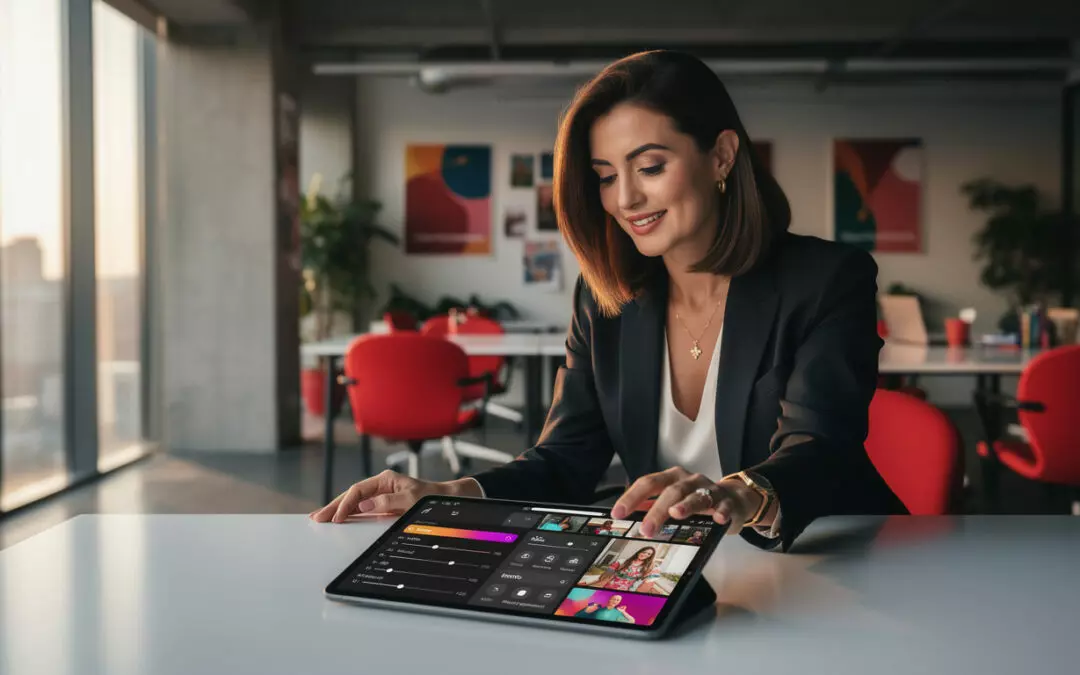
Instagram innovates with Edits: adjustable transitions, text opacity, iOS Live Photos, and new sounds to refine your Reels.
Instagram innovates still in video editing with a targeted update to its Edits app. Meta is adding more precise settings for transitions, graphics, and importing animated content from iPhone.
These new features are not aimed at transforming everything at once. Instead, they respond to a clear request from creators: more control without making editing more complicated. In my experience, this is often the kind of adjustment that makes the difference between a decent video and a Reel that truly holds attention.
Instagram innovates with adjustable transitions in Edits
The first new feature concerns transition speed control between clips. Until now, creators had effective options, but they were often fairly standardized. Now, Edits lets you adjust the pace clip by clip, which gives vertical editing more nuance.
In practical terms, a creator can choose a slow fade to set a calm mood, then switch to a quick cut to match a strong line, a change of setting, or a product demo. This setting may seem technical, but its impact is immediately visible in the storytelling. The edit no longer just strings shots together. It guides the viewer’s eye.
A simple example illustrates this well. Louise, a fictional creator specializing in interior design, films the transformation of a small living room. Before this update, she used fast transitions throughout the video. The result stayed dynamic, but some steps were less clear. With the new controls, she can slow the transition when revealing the finished room, then speed up the editing and tidying sequences. The result feels more polished, without adding unnecessary flashy effects.
Why speed changes how a Reel is perceived
The speed of a transition affects how the user understands the scene. A quick cut creates energy. A gradual fade gives a more composed impression. A movement that is too abrupt can be tiring, especially on mobile, where attention fragments quickly.
According to the report Digital 2025 de DataReportal, Instagram brings together more than 2 billion monthly active users around the world. With that volume of content, a video has to be understandable within a few seconds. Adjusting transitions helps make the message clearer without relying solely on a verbal hook or a trending song.
For brands, the benefit is direct. A product launch video can alternate fast transitions for details with slower segments for the final benefit. An influencer campaign can also adapt its pace to the creator’s personality. A lifestyle profile does not need the same tempo as a tech expert or a fitness coach.
- Slow transition: useful for revealing a result, creating an atmosphere, or highlighting a visual detail.
- Fast cut: suited to short tutorials, before-and-after clips, and reaction videos.
- Mixed pacing: useful for maintaining attention without making the edit feel aggressive.
That said, this new control requires real editorial discipline. Changing the speed too much can make the result feel artificial. The best approach is to define an intention before editing: inform, surprise, reassure, or entertain. The technical setting should serve that intention, not the other way around.
To explore this editing logic further, the ValueYourNetwork guide on best practices for Instagram video editing usefully complements this update. The takeaway: an effective transition is not always noticeable, but it makes the video feel smoother.
This first addition confirms a clear direction: Edits is becoming a tool designed for creators who want to manage the pacing of their videos methodically.
Instagram also innovates with the opacity of text, stickers, and overlays
The second new feature concerns layered elements. Edits now lets users adjust the opacity of text, stickers, and overlays. This feature may seem subtle, but it addresses a very common problem: vertical videos are often too visually cluttered.
Text that is too opaque can obscure a face, a product, or an action. A sticker that is too visible can distract from the main message. Conversely, an element that is too subtle becomes useless. The opacity setting makes it possible to find a more precise balance between readability, branding, and aesthetics.
In an influencer campaign, this detail matters a lot. A creator can place a partnership disclosure at the top of the screen without visually overpowering it. A brand can add a key phrase as a watermark, such as “morning routine” or “test after 7 days,” while still letting the scene breathe. The video then keeps its native look, avoiding an overly rigid ad feel.
The watermark becomes a storytelling tool
Watermarking is not just protection against reuse of content. It can also serve as a guide. In a beauty tutorial, semi-transparent text can indicate the current step. In a cooking video, it can display quantities without covering the actions. In a Reel B2B, it can remind viewers of a key piece of information while the expert speaks.
A concrete example: a skincare brand asks three creators to test a cream for two weeks. Each Reel uses the same message, but each creator keeps their own style. With adjustable opacity, the labels “day 1,” “day 7,” or “final result” can appear gently. Campaign consistency increases without standardizing the content.
| Edits function | Concrete use | Benefit for creators |
|---|---|---|
| Transition speed | Adjust the pacing between two scenes | Make the story more fluid and more precise |
| Text opacity | Display information without obscuring the image | Improve readability on mobile |
| Sticker opacity | Add a graphic element that is more or less visible | Maintain a consistent visual style |
| iOS Live Photos | Import an animated photo from iPhone | Create a short sequence with native motion |
| Sound effects | Add a transition or action sound effect | Increase impact without overloading the video |
That said, opacity does not solve everything. A video whose message is unclear will remain unclear, even with beautiful overlays. Visual hierarchy must come before embellishment. The right order is to define the message, choose the shots, place the text, then adjust its intensity.
This new feature also fits into the ongoing evolution of Edits around graphic styles, such as fonts and effects. Creators who want to follow this evolution can read the analysis ValueYourNetwork on fonts and effects in Edits Instagram. It shows how visual choices influence the perception of a short video.
Only one question needs to be asked: do you really need to show everything on screen? The answer, in most cases, is no. Opacity offers a nuanced solution: show enough to guide, but not so much that you overwhelm.
The strategic value of this feature lies in its simplicity. It helps creators strike a better balance, and that balance becomes an advantage in feeds where many videos are already shouting too loudly.
Instagram introduces iOS Live Photos and 200 new sound effects
The third wave of new features affects two complementary levers: motion image and sound. iOS users can now import their Live Photos directly into Edits. They can use the still image or preserve the motion captured by the iPhone. Meta is also adding 200 new sound effects, a sufficient amount to enrich edits without relying on an external library.
Live Photos open up an interesting option for spontaneous content. Many creators already have mini-sequences recorded without thinking about it: a smile, a product gesture, changing light, hair movement, a reaction in a store. Before, this content often stayed in the gallery. With Edits, it can become transition shots or narrative micro-moments.
For a fashion brand, a Live Photo can turn a simple pose into the movement of fabric. For a restaurant, it can show steam rising from a dish. For a travel influencer, it can capture the movement of a street, a train, or rough seas. These are not big effects, but details that make a video feel more alive.
Sound as a cue for attention
The 200 sound effects added by Meta address a very practical use case: supporting the action. A click can signal the appearance of text. A soft sound can accompany a fade. A sharper effect can mark a scene change. On Reels, audio often structures understanding as much as the image does.
That said, it’s important to avoid overdoing it. A sound for every movement gets tiring fast. The best edits use sound effects as accents, not as a permanent layer. In my experience, the most effective videos keep a few well-placed audio cues: beginning, transition, reveal, call to action.
This update fits into a broader trend: short-form video is becoming more sophisticated while still being produced from a smartphone. Creators don’t always need heavy software. They need fast tools that fit social formats and can preserve their personal style.
Teams working on a vertical-format strategy can compare these developments with the latest Instagram video formats. This reading helps connect editing to distribution constraints: length, pacing, framing, storytelling, and message placement.
Another point: Meta is already announcing further improvements to come, including more advanced customization of effects, finer control over preferences, and more templates. Artificial intelligence is also expected to become more prominent in Edits. That said, the reception to certain uses of Meta AI on Threads has shown a clear limitation: creators want to save time, but they do not want to lose control over their tone, style, or intent.
That distinction matters for brands. Over-automating content can flatten the differences between profiles. On the other hand, providing good editing tools allows each creator to keep their signature. The value does not come only from technology, but from the way it respects individual expression.
The update therefore confirms a step-by-step strategy. Meta is enriching Edits through regular additions, without a sudden break. For creators, the best approach is to test one new feature at a time: first a Live Photo, then a sound effect, then an opacity adjustment. This progression reduces mistakes and makes performance analysis easier.
Instagram innovates for influencer strategies and brands
These three editing features are not just for individual creators. They also change the way brands brief, approve, and measure influencer content. A good brief can no longer stop at asking for “a dynamic Reel.” It needs to specify pacing, text placement, the level of graphics, and the role of sound.
Concretely, a brand can request an edit with fast transitions for usage steps, lower-opacity text for secondary information, and a sound effect only at the moment of the product reveal. This level of precision avoids unnecessary back-and-forth. It also gives the creator some artistic freedom, which is still necessary to preserve the authenticity of the content.
ValueYourNetwork observes that high-performing campaigns rarely rely on a single strong creative idea. They combine a clear angle, a suitable format, a readable edit, and cohesive casting. Since 2016, ValueYourNetwork has been supporting brands with influencer marketing, with hundreds of successful social media campaigns. This experience makes it possible to connect influencers and brands based on specific goals: awareness, consideration, conversion, or product launch. To build a campaign adapted to the new editing practices on Instagram, contact us.
The topic goes beyond Instagram. TikTok, YouTube Shorts, Pinterest, and LinkedIn are all pushing native video, but each platform has its own rules. The new Edits features mainly strengthen creators’ independence within the Meta ecosystem. A brand that understands these tools can collaborate more effectively without imposing overly ad-like production.
A simple method for testing new features
The test must remain measurable. It is not enough to add transitions or sounds just because the option exists. A social media team can compare two versions of the same content: a plain version and an enhanced one. The metrics to watch are retention rate, replays, saves, shares, and qualitative comments.
A simple protocol works well over two weeks. Publish three Reels with set transitions, three Reels with semi-transparent overlays, and three Reels incorporating Live Photos or sound effects. Then analyze performance by type of addition. This method avoids drawing conclusions too quickly from a single post.
- Define the Reel’s objective before opening Edits: demonstrate, tell a story, compare, or sell.
- Choose one new feature to test to isolate its effect on performance.
- Measure retention in the first few seconds and at the end of the video.
- Compare the comments to see whether the edit helps or hinders understanding.
Conversely, some brands may be better off staying very restrained. A financial expert, an educational media outlet, or an institutional organization does not always need pronounced transitions. In these cases, text opacity may be more useful than sound effects. The best practice is not to use every new feature, but to select the ones that strengthen the content’s promise.
Brands that extend their strategy beyond Instagram can also look at how short-form formats are evolving on other platforms. ValueYourNetwork’s analysis on TikTok vs. YouTube Shorts helps compare audience expectations, while the topic of AI in video creativity highlights the trade-offs between automation and editorial direction.
In short, Edits is becoming more mature. The new options offer more control, but they also require more structure. The best results will come from creators able to connect technique, message, and audience behavior.
Frequently asked questions about Instagram innovates
What new editing features is Instagram innovating with?
Instagram innovates with three major additions in Edits: adjustable transition speed, text and sticker opacity, and importing iOS Live Photos. Meta is also adding 200 new sound effects to enrich Reels edits.
Is Instagram innovating mainly for Reels creators?
Yes, Instagram is innovating primarily to make creating vertical videos easier. Reels creators gain more control over pacing, visual styling, and the micro-movements captured in Live Photos.
Instagram innovates with Edits, but should you use all the effects?
No, Instagram innovates without forcing creators to use everything. The best approach is to test one feature at a time, then measure its impact on retention, shares, and message clarity.
Does Instagram also innovate for brands in influencer marketing?
Yes, Instagram is also innovating for brands. These tools help produce more precise briefs, better frame influencer content, and preserve a native look suited to social media use.
Instagram innovates with Live Photos: who can benefit from them?
Instagram is innovating with Live Photos for iOS users. iPhone owners can import a Live Photo into Edits and choose to use either the still image or the automatically captured motion.